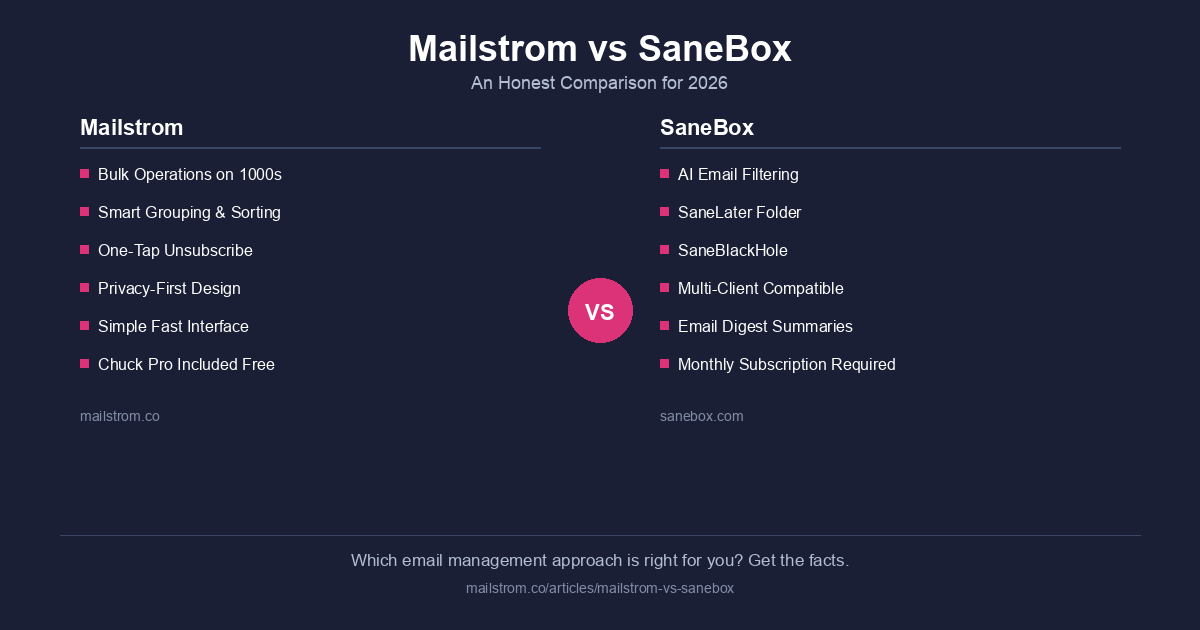
Mailstrom and SaneBox both help you manage email overload, but they take fundamentally different approaches. Mailstrom is a bulk email cleanup and management tool that lets you act on thousands of messages at once. SaneBox is an AI email filter that automatically sorts incoming messages into priority folders. One cleans up the mess; the other tries to prevent it. Here's how they compare — and which one is right for you.
Last updated: March 2026
Quick Summary: Two Different Approaches
The most important thing to understand about Mailstrom vs SaneBox is that they solve different problems:
- Mailstrom gives you direct control. You see your entire inbox grouped by sender, subject, date, size, or mailing list, and you take bulk actions — delete, archive, move, or mark read — on thousands of emails at once. Then you set up Auto Clean rules to keep it that way. Mailstrom subscribers also get Chuck Pro for free, a dedicated iOS email app with on-device AI.
- SaneBox works in the background. Its AI learns which senders you engage with and which you ignore, then automatically routes low-priority email to a "SaneLater" folder. You never take direct bulk action on your backlog — SaneBox just filters what comes in next.
If you have 20,000 unread emails and want them gone in 10 minutes, Mailstrom does that. SaneBox does not. If you want incoming email silently sorted without lifting a finger, SaneBox does that. Mailstrom's Auto Clean does too — but also gives you the power to clean what's already there.
At-a-Glance Comparison
| Feature | Mailstrom | SaneBox |
|---|---|---|
| Core function | Bulk cleanup + ongoing management | AI email filtering |
| Bulk actions | Thousands of emails at once | Not available |
| Backlog cleanup | Yes — built for this | No — only filters new incoming email |
| Automation | Auto Clean (delete, archive, move, mark read) | AI sorting into folders (SaneLater, SaneBlackHole, etc.) |
| Email grouping | Sender, subject, date, size, mailing list, social | No grouping — folder-based sorting only |
| Unsubscribe | Built-in bulk unsubscribe | SaneBlackHole (blocks sender permanently) |
| Privacy | Metadata-only processing (headers, not content) | Analyzes email headers (not content) |
| Mobile app | Chuck Pro included free (iOS, 4.8 stars, on-device AI) | No app — works through your existing email client |
| Platforms | Web + Chuck Pro (iOS) | Works with any email client |
| Pricing (annual) | $59.95/year (includes Chuck Pro) | $59/year (1 account, limited features) to $299/year (4 accounts, all features) |
| Free trial | 14 days | 14 days |
| Email providers | Gmail, Outlook, Yahoo, iCloud, IMAP | Gmail, Outlook, Yahoo, iCloud, Exchange, IMAP |
Where Mailstrom Wins
1. Bulk Cleanup Power
This is the biggest difference. If you have a massive inbox backlog — 10,000, 50,000, or even 100,000 unread emails — Mailstrom can clean it up in minutes. You log in, see your email grouped intelligently (by sender, subject, date range, size, mailing list), and take bulk actions on entire categories at once. Archive every email from a sender you no longer care about. Delete everything older than 2 years. Move all newsletters to a folder. Done.
SaneBox cannot do this. It only affects future incoming email by sorting it into folders. Your existing backlog stays untouched. If you're drowning in email right now, SaneBox will not help you get out — it will only slow the flood.
2. Transparent, Simple Pricing
Mailstrom costs $59.95/year. That's it. One price, full access, and it includes Chuck Pro (a $49/year standalone value) for free.
SaneBox's pricing is more complex:
- Snack: $7/month or $59/year — 1 email account, limited features
- Lunch: $12/month or $99/year — 2 email accounts, more features
- Dinner: $36/month or $299/year — 4 email accounts, all features
SaneBox's entry-level annual plan ($59/year) looks comparable to Mailstrom, but it only covers one email account with restricted features. Most users need at least the Lunch plan ($99/year) for two accounts. Power users pay $299/year — five times what Mailstrom costs for full access.
3. You Get Two Products for the Price of One
Every Mailstrom subscription includes Chuck Pro at no extra cost. Chuck is a dedicated iOS email app rated 4.8 stars on the App Store, with on-device AI that sorts your inbox into smart categories, suggests cleanup actions, and lets you manage hundreds of emails with a single tap — all without your email data ever leaving your phone.
SaneBox doesn't have an app. It works through your existing email client by creating folders. That's a legitimate design choice, but it means you don't get a purpose-built mobile experience for email management.
4. Direct Control vs. Black Box
With Mailstrom, you see exactly what's happening. Your email is grouped, you decide what to do with each group, and you set up rules you can see and modify at any time. There's no mystery about why something was archived or where an email went.
SaneBox's AI makes decisions for you. It's good at it — reportedly 98.5% accurate after a couple of weeks — but when it gets something wrong, you have to train it by dragging emails between folders. Some users find this hands-off approach liberating. Others find it frustrating when important emails end up in SaneLater.
5. Privacy: Metadata-Only Processing
Mailstrom processes only email headers and metadata — sender, subject line, date, size — to group and organize your messages. It does not read or store the content of your emails. Chuck Pro goes even further: its AI processing happens entirely on your device. Your email content never leaves your phone.
SaneBox also states it analyzes only email headers, not content. Both tools take a similar privacy-conscious approach to email analysis. However, Mailstrom's Chuck Pro offers an additional layer of privacy with fully on-device AI — something no other email management tool provides.
Where SaneBox Wins
1. Truly Passive Filtering
SaneBox's greatest strength is that it requires almost no effort after setup. Once the AI learns your patterns (about 2 weeks), it silently sorts incoming email without you doing anything. If you want email management that happens entirely in the background with zero daily interaction, SaneBox delivers that experience better than any other tool.
Mailstrom's Auto Clean provides similar automation, but Mailstrom is at its best when you're actively using it — reviewing groups, making decisions, cleaning in bulk. It's a power tool, not a set-and-forget filter.
2. Works With Any Email Client
SaneBox operates at the server level by creating folders in your email account. This means it works with Gmail, Outlook, Apple Mail, Thunderbird, Spark, or any other email client you already use. You don't need to change your workflow or adopt a new app.
Mailstrom is web-based (works in any browser), and Chuck Pro is iOS-only. If you're committed to a specific desktop email client and don't want to use a separate tool, SaneBox integrates more invisibly into your existing setup.
3. Unique Features Like SaneReminders and SaneDoNotDisturb
SaneBox has several clever features beyond basic filtering:
- SaneReminders: BCC a timed address (e.g., 2days@sanebox.com) to get reminded about an email
- SaneDoNotDisturb: Pauses incoming email during focus time
- SaneBlackHole: Permanently blocks a sender by dragging one email to a folder
These are genuinely useful workflow features that Mailstrom doesn't replicate. If email reminders and focus modes are important to you, SaneBox has an edge here.
Pricing Comparison: The Real Cost
| What You Get | Mailstrom | SaneBox Snack | SaneBox Lunch | SaneBox Dinner |
|---|---|---|---|---|
| Annual price | $59.95/year | $59/year | $99/year | $299/year |
| Email accounts | Unlimited | 1 | 2 | 4 |
| Bulk cleanup | Yes | No | No | No |
| Auto Clean rules | Yes | Limited | Yes | Yes |
| iOS email app | Chuck Pro (free) | None | None | None |
| On-device AI | Yes (via Chuck) | No | No | No |
| Reminders | No | No | Yes | Yes |
| Do Not Disturb | No | No | No | Yes |
For the same $59/year, Mailstrom gives you bulk cleanup power, Auto Clean automation, and a dedicated AI-powered iOS email app. SaneBox gives you AI filtering for one email account with limited features. To get SaneBox's full feature set across multiple accounts, you're looking at $99-$299/year.
Who Should Choose Mailstrom
- You have a large backlog of email (thousands or tens of thousands) that needs cleaning up
- You want to take bulk action on email — delete, archive, or move entire categories at once
- You want both a web-based cleanup tool and an AI-powered iOS email app
- You want simple, transparent pricing with no feature tiers
- You value privacy and prefer metadata-only processing with on-device AI
- You want to clean up first, then automate — not just automate going forward
Who Should Choose SaneBox
- You don't have a backlog problem — you just want future email sorted automatically
- You want email management that's completely invisible and requires no daily interaction
- You need email reminders, do-not-disturb, or other workflow features
- You're committed to a specific email client (like Thunderbird or Apple Mail) and don't want to use a separate tool
- You specifically need Android compatibility (Chuck Pro is iOS-only)
Frequently Asked Questions
Can Mailstrom do what SaneBox does (automatic filtering)?
Yes, partially. Mailstrom's Auto Clean feature creates rules that automatically delete, archive, move, or mark as read incoming email matching your criteria. It doesn't use AI-based priority sorting the way SaneBox does, but it gives you direct control over what happens to specific types of email. Chuck Pro adds AI-powered inbox sorting on iOS.
Can SaneBox do what Mailstrom does (bulk cleanup)?
No. SaneBox only affects incoming email going forward. It does not provide tools to bulk-select and act on your existing email backlog. If you have thousands of old emails to clean up, you need Mailstrom (or another bulk cleanup tool) for that.
Can I use both Mailstrom and SaneBox together?
Yes. Some users use Mailstrom for the initial deep clean and ongoing bulk management, then use SaneBox for passive day-to-day filtering. They serve different purposes and don't conflict. However, Mailstrom's Auto Clean combined with Chuck Pro covers most of what SaneBox offers at a lower total cost.
Does SaneBox read my email content?
SaneBox says it only analyzes email headers (sender, subject, timestamp), not the body of your messages. Mailstrom takes the same approach — metadata only. Chuck Pro goes further with fully on-device AI processing, meaning your email content never leaves your phone.
Which is cheaper for multiple email accounts?
Mailstrom, by a significant margin. Mailstrom's $59.95/year covers unlimited accounts and includes Chuck Pro. SaneBox charges $59/year for one account, $99/year for two, and $299/year for four. If you manage more than one email account, Mailstrom is substantially more affordable.
Does Mailstrom have a mobile app?
Mailstrom itself is web-based and works in any mobile browser. But every Mailstrom subscription includes Chuck Pro for free — a dedicated iOS email app (4.8 stars) with on-device AI, smart categories, and one-tap bulk actions. SaneBox has no app at all; it works through your existing email client's folder system.
Is Mailstrom only for one-time cleanup?
No. While Mailstrom excels at initial deep cleans, it is designed for ongoing email management. Auto Clean rules run continuously on new incoming mail. Many users have been actively managing their inboxes with Mailstrom for years. The combination of Mailstrom + Chuck Pro covers both bulk cleanup and daily email management.
The Bottom Line
Mailstrom and SaneBox are complementary tools more than direct competitors. SaneBox is an excellent passive filter — if you want email sorted silently in the background with minimal effort, it delivers. But it can't touch your existing backlog, and it gets expensive fast for multiple accounts.
Mailstrom gives you direct power over your inbox — bulk cleanup of thousands of emails, flexible automation rules, and a dedicated AI-powered iOS email app (Chuck Pro) included at no extra cost. For $59.95/year, you get more capability, more privacy, and more control than SaneBox's comparable tier.
If you're drowning in email and want to take control — not just filter what comes next — try Mailstrom free for 14 days.
This comparison was written by the Mailstrom team at 410 Labs. We've aimed for accuracy and fairness throughout. If you believe any information here needs updating, please contact us and we'll correct it promptly.