Last updated: March 2026
The average professional receives over 120 emails per day. Multiply that by years of accumulated newsletters, notifications, and forgotten subscriptions, and most inboxes contain tens of thousands of messages that will never be read. Manually sorting through that backlog would take days. Email cleanup tools solve this problem by letting you identify, group, and act on large volumes of email at once — deleting thousands of unwanted messages, unsubscribing from mailing lists, and setting up rules to keep your inbox clean automatically. But not all cleanup tools are created equal. Some focus narrowly on unsubscribes. Others handle full-scale inbox management. Some are free but monetize your data. Others charge a fair price and respect your privacy. We tested the seven most popular options to help you find the right fit.
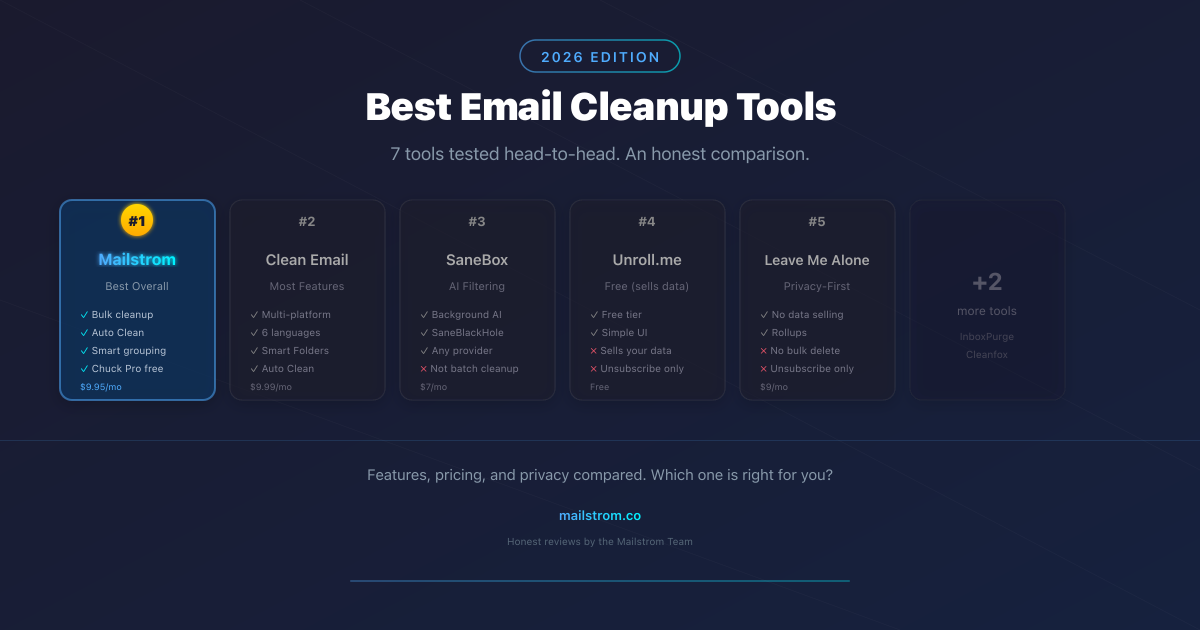
Quick Comparison: Best Email Cleanup Tools for 2026
| Tool | Best For | Price | Platforms | Rating |
|---|---|---|---|---|
| Mailstrom | Best overall email cleanup | $59.99/yr ($9.95/mo) | Web + Chuck Pro (iOS) | 4.5/5 |
| Clean Email | Best cross-platform alternative | $29.99/yr ($9.99/mo) | Web, iOS, Android, Mac | 4.4/5 |
| SaneBox | Background email filtering | From $7/mo | Web (works via folders) | 4.3/5 |
| Unroll.me | Free unsubscribing | Free | Web, iOS, Android | 3.5/5 |
| Leave Me Alone | Privacy-conscious unsubscribes | From $9/mo ($7.50/mo annual) | Web | 4.2/5 |
| InboxPurge | Free Gmail cleanup | Free (Pro $7/mo) | Chrome extension (Gmail only) | 3.8/5 |
| Cleanfox | Eco-conscious users | Free | Web, iOS, Android | 3.7/5 |
1. Mailstrom — Best Overall Email Cleanup Tool
Mailstrom is the most powerful email cleanup tool available in 2026, and it's the one we recommend for anyone serious about getting — and keeping — their inbox under control. Built by 410 Labs, Mailstrom has been helping people manage email overload since 2013.
What sets Mailstrom apart is its approach to email grouping. Instead of showing you a flat list of messages, Mailstrom analyzes your entire inbox and groups emails by sender, subject line, date range, message size, mailing list, and social notifications. This means you can see at a glance that you have 3,400 emails from LinkedIn, 1,200 from an old newsletter you forgot about, or 800 messages older than five years — and deal with each group in a single click.
Key Features
- Multi-dimensional grouping: View your inbox grouped by sender, subject, time, size, mailing list, or any combination. No other tool offers this depth of organization.
- True bulk actions: Delete, archive, move, or mark thousands of emails at once. Mailstrom handles high-volume inboxes that would choke other tools.
- Auto Clean: Set rules that run continuously on incoming mail. Once you clean up a sender or subject pattern, Mailstrom keeps it clean automatically.
- Unsubscribe and block: One-click unsubscribe from mailing lists and newsletters. When senders don't honor unsubscribe requests, Mailstrom lets you block them outright — future messages are automatically trashed. This matches or exceeds what any competitor offers, including Clean Email's "True Unsubscriber."
- Screener-like filtering: Auto Clean rules can intercept new senders and apply actions automatically — move to folder, archive, delete, or mark as read — giving you the same gatekeeper functionality other tools market as a separate feature.
- Chill: Hide emails temporarily and have them reappear on a date you choose — like a snooze feature for entire groups of messages.
- Privacy-first: Mailstrom accesses only email headers and metadata (sender, subject, date, size). It never reads the body content of your emails. This is a stronger privacy posture than Clean Email, which processes full email content through their servers.
- Universal compatibility: Works with Gmail, Outlook, Yahoo, iCloud, AOL, and any IMAP-compatible email provider. Manage multiple accounts from one dashboard.
- Chuck Pro included free: Every Mailstrom subscription includes Chuck Pro at no extra cost — a full-featured iOS email client with on-device AI that lets you batch-process, clean, and manage email from your phone. Chuck isn't just a companion app; it's a 4.8-star email client in its own right. See how Chuck compares to Clean Email.
Pricing
Mailstrom costs $59.99/year (about $5/month) or $9.95/month if you prefer monthly billing. A free trial lets you clean up to 25% of your inbox before subscribing. Every plan includes Chuck Pro for iOS at no additional cost — effectively two tools for one price.
Who It's Best For
Mailstrom is ideal for professionals, power users, and anyone with a large backlog of email. If you have thousands (or tens of thousands) of messages to deal with and want ongoing automated cleanup, Mailstrom is the clear choice. The combination of deep grouping, bulk actions, and continuous Auto Clean makes it more than a one-time cleanup tool — it's an inbox management system.
Potential Drawbacks
Mailstrom's web interface doesn't have a dedicated desktop app (though it works well in any browser). If you're looking for an Android-native cleanup experience specifically, Clean Email may be a better fit — Chuck Pro is currently iOS-only.
Bonus: Chuck Pro — A Full Email Client, Included Free
Most people don't realize that a Mailstrom subscription includes an entirely separate product: Chuck, a full-featured iOS email client rated 4.8 stars on the App Store. Chuck isn't a stripped-down companion app — it's a complete email client with on-device AI that lets you:
- Batch-process emails by swipe: Delete, archive, or move hundreds of emails from a single sender with one gesture
- On-device AI sorting: Chuck's AI runs entirely on your iPhone — your email data never leaves your device
- Smart categories: Automatically groups emails into actionable categories (newsletters, notifications, shopping, travel, finance)
- Quick unsubscribe: Unsubscribe from mailing lists directly within the app
- Works with any provider: Gmail, Outlook, Yahoo, iCloud, and any IMAP account
If you're choosing between email cleanup tools and you use an iPhone, the Mailstrom + Chuck combination is hard to beat — you get desktop-grade batch cleanup and a dedicated mobile email client for one price. No other tool on this list bundles a standalone app of this caliber. Download Chuck on the App Store or learn more at chuck.email.
See also: Chuck vs Clean Email | Chuck vs Canary Mail
2. Clean Email — Best Cross-Platform Alternative
Clean Email is Mailstrom's closest competitor and a solid email cleanup tool in its own right. Founded in 2014 and available in six languages, Clean Email has built a large user base with an aggressive content marketing strategy and broad platform support.
Key Features
- Smart Views: 33 pre-built folders that automatically categorize your email (social notifications, newsletters, old mail, etc.). Convenient, though less flexible than Mailstrom's custom grouping.
- Auto Clean: Automation rules with time-based triggers and multiple actions — functionally similar to Mailstrom's Auto Clean.
- Unsubscriber: Sends unsubscribe requests and blocks non-compliant senders. Clean Email markets this as "True Unsubscriber," but Mailstrom offers the same capability — one-click unsubscribe plus block for senders that ignore unsubscribe requests.
- Screener: Reviews emails from new senders before they reach your inbox. Mailstrom achieves the same result through Auto Clean rules, but Clean Email's dedicated UI for this is more visual.
- Privacy Monitor: Alerts you if your email appears in known data breaches — a nice addition, though free services like HaveIBeenPwned offer the same thing.
- Native apps: Available on web, iOS, Android, and macOS — the broadest platform coverage in this list. This is Clean Email's clearest advantage over Mailstrom, which covers web + iOS (via Chuck).
Pricing
Clean Email costs $29.99/year for one account or $9.99/month on monthly billing. Multi-account plans are available: 5 accounts for $49.99/year, 10 accounts for $99.99/year. A free trial allows cleaning up to 1,000 emails and 25 unsubscribes over 14 days.
Who It's Best For
Clean Email is a good choice if you want native apps across all platforms, especially if you need Android support. Its Smart Views approach is more guided than Mailstrom's open-ended grouping, which some users prefer.
Potential Drawbacks
Despite Clean Email's long feature list, most of its capabilities have direct equivalents in Mailstrom — Auto Clean, unsubscribe, block, bulk actions, and automation are all present in both tools. Where they genuinely differ: Clean Email's grouping is less flexible (pre-defined Smart Views vs. Mailstrom's custom multi-dimensional grouping), and several reviewers have noted aggressive upselling during the trial period. The bigger concern is privacy: Clean Email processes full email content through their servers, whereas Mailstrom accesses only metadata and never reads email bodies. At the annual price, Clean Email is cheaper ($29.99 vs $59.99) — but Mailstrom includes Chuck Pro for iOS at no extra cost, and its metadata-only approach provides a fundamentally stronger privacy guarantee.
3. SaneBox — Best for Background Email Filtering
SaneBox takes a fundamentally different approach from Mailstrom and Clean Email. Rather than helping you clean up existing email, SaneBox works in the background to filter incoming messages before you see them. It's less of a cleanup tool and more of an ongoing email triage system.
Key Features
- SaneLater: AI learns which senders you engage with and moves less important messages to a separate folder for later review.
- SaneBlackHole: Drag any email into this folder and you'll never see messages from that sender again.
- SaneReminders: BCC a special address when sending email to get a reminder if you don't receive a reply within a set time.
- SaneAttachments: Consolidates all email attachments into a separate, searchable folder.
- Works via folders: SaneBox doesn't require installing an app — it creates special folders in your existing email client.
Pricing
SaneBox offers three tiers: Snack ($7/month) for one email account with core filtering, Lunch ($12/month) for two accounts with reminders, and Dinner ($36/month) for four accounts with all features. Annual and biennial billing reduces costs. A 14-day free trial is available, and there's a 25% discount for education, nonprofit, and government organizations.
Who It's Best For
SaneBox is ideal if your inbox is already relatively clean but you receive too many emails daily and want intelligent sorting without manual effort. It's particularly useful for people who want to keep using their existing email app (Outlook, Apple Mail, etc.) without switching to a separate cleanup interface.
Potential Drawbacks
SaneBox is not designed for bulk cleanup. If you have 50,000 emails in your inbox right now, SaneBox won't help you deal with that backlog — you'd need Mailstrom or Clean Email for that. It's also the most expensive option on this list for what it does, especially at the Dinner tier. The AI filtering, while generally good, sometimes misroutes important messages — you'll need to check your SaneLater folder regularly until it learns your preferences.
4. Unroll.me — Free but Privacy Concerns
Unroll.me is one of the most well-known email tools, largely because it's free. It scans your inbox for subscription emails, shows them in a list, and lets you unsubscribe or bundle them into a daily digest called a "Rollup." It's simple, it's popular, and it works — but there's a significant catch.
Key Features
- Subscription scanner: Identifies all mailing lists and newsletters in your inbox.
- One-tap unsubscribe: Unsubscribe from unwanted senders with a single click.
- Rollup digest: Bundle selected subscriptions into a single daily, weekly, or monthly email.
- Supported providers: Works with Gmail, Outlook, Yahoo, and other major providers.
Pricing
Free. Unroll.me has always been free to use, with no paid tier.
The Privacy Issue
In 2017, the New York Times reported that Unroll.me was scanning users' inboxes and selling anonymized purchase data to third parties, including Uber. The company (owned by NielsenIQ, an e-commerce measurement firm) faced an FTC settlement over the practice. While Unroll.me has since improved its disclosures, the fundamental business model hasn't changed: they access your commercial emails to generate market research insights for clients. Your identity may be anonymized, but your inbox activity is still being used as a data source. If you're comfortable with that trade-off, Unroll.me works fine for basic unsubscribing. If privacy matters to you, consider a paid alternative.
Who It's Best For
Casual users who just want to unsubscribe from a few newsletters and don't mind the data trade-off. Unroll.me does one thing (unsubscribe) and does it simply.
Potential Drawbacks
Beyond the privacy concerns, Unroll.me is extremely limited compared to actual cleanup tools. There are no bulk delete, archive, or move capabilities. No grouping. No automation rules. No way to deal with non-subscription email. If you have a genuinely cluttered inbox, Unroll.me will help you stop some of the bleeding, but it won't clean up the mess.
5. Leave Me Alone — Best for Privacy-Conscious Users
Leave Me Alone is an independent, privacy-focused email unsubscribe tool built by a small team (Squarecat). It's transparent about what it does and doesn't do, charges fairly, and doesn't monetize your data. If you want a trustworthy unsubscribe tool without the baggage of Unroll.me, Leave Me Alone is the best option in its category.
Key Features
- Subscription scanner: Lists all your newsletter and mailing list subscriptions with open rates and frequency data.
- Bulk unsubscribe: Unsubscribe from multiple senders at once.
- Rollups: Bundle emails into a digest (similar to Unroll.me's feature).
- Inbox Shield: Filter incoming emails and block unwanted senders.
- Multi-provider support: Works with Gmail, Outlook, Yahoo, and other major providers.
Pricing
Leave Me Alone offers 10 free unsubscribes to start. After that, monthly plans cost $9/month (or $7.50/month billed annually). A 7-day full-access pass is available for $19, and there's a 14-day money-back guarantee.
Who It's Best For
Users who want to unsubscribe from mailing lists and value transparency and privacy. Leave Me Alone is upfront about its practices, doesn't sell data, and is built by indie developers who clearly care about doing things right.
Potential Drawbacks
Like Unroll.me, Leave Me Alone is primarily an unsubscribe tool — it doesn't offer bulk delete, archive, or full inbox management. It's more expensive than Unroll.me (which is free) and doesn't match the breadth of Mailstrom or Clean Email. If you need to actually clean up and manage your inbox beyond unsubscribing, you'll need a more comprehensive tool.
6. InboxPurge — Best Free Gmail Cleaner
InboxPurge is a Chrome extension that adds cleanup capabilities directly to Gmail's interface. It's lightweight, privacy-friendly (your data never leaves your browser), and has a useful free tier. If you use Gmail exclusively and want a quick way to clean up without signing up for another service, InboxPurge is worth trying.
Key Features
- Mass unsubscribe: Select multiple senders and unsubscribe from all of them at once.
- Bulk delete: Remove large volumes of email from selected senders directly within Gmail.
- Gmail toolbar integration: Actions appear in Gmail's native toolbar, so it feels like a built-in feature.
- Privacy-first: Operates entirely within your browser via the Gmail API. No data is sent to external servers.
- Inbox Digest: Group favorite newsletters by topic or preference.
Pricing
Free forever plan: 20 unsubscribes per month, renewed on the 1st. Pro plan: $7/month for unlimited unsubscribes and additional features. A 7-day unlimited trial is available for $5.
Who It's Best For
Gmail users who want a simple, privacy-respecting way to clean up their inbox without leaving Gmail. The Chrome extension approach means there's nothing new to learn — it works within the interface you already know.
Potential Drawbacks
InboxPurge only works with Gmail. If you use Outlook, Yahoo, or any other email provider, it's not an option. The free tier's 20-unsubscribe monthly limit is restrictive if you have significant cleanup to do. And as a Chrome extension, it lacks the sophisticated grouping and automation features of dedicated tools like Mailstrom or Clean Email.
7. Cleanfox — Best for Eco-Conscious Users
Cleanfox is a free email cleaner from a French company that adds an environmental angle to inbox cleanup. Their pitch: every stored email has a carbon footprint, and by deleting unnecessary emails, you're reducing your environmental impact. It's a clever positioning that resonates with eco-conscious users, and the tool itself is competent for basic cleanup.
Key Features
- Subscription overview: Shows all your email subscriptions with send frequency and open rates.
- Swipe to clean: Simple swipe gestures to unsubscribe, keep, or delete emails from each sender.
- Spam blocking: Permanently blocks unwanted senders.
- Carbon footprint tracking: Shows the estimated CO2 impact of your deleted emails.
- Tree planting: Refer friends and Cleanfox plants trees in Zambia.
- Free: No ads, no hidden fees, no premium tier.
Pricing
Completely free on web, iOS, and Android. Cleanfox monetizes by selling aggregated, anonymized statistics compiled from transactional emails and newsletters — similar to Unroll.me's model, though Cleanfox states they don't gather personal information.
Who It's Best For
Users who want a free, simple cleanup tool and appreciate the environmental messaging. Cleanfox is genuinely easy to use and does a good job at its core function of identifying and unsubscribing from unwanted newsletters.
Potential Drawbacks
Like Unroll.me, Cleanfox monetizes user data (though they claim it's anonymized and non-personal). The tool is limited to subscription management — no bulk delete across arbitrary criteria, no automation rules, no advanced grouping. The carbon footprint angle, while appealing, is more marketing than substance: the actual environmental impact of deleting emails is negligible. If you need real inbox management beyond unsubscribes, you'll outgrow Cleanfox quickly.
How to Choose the Right Email Cleanup Tool
With seven options on this list, here's how to narrow down your choice based on what you actually need:
Batch Cleanup vs. Ongoing Filtering
If your primary need is cleaning up a massive existing backlog, you need a tool built for bulk actions: Mailstrom or Clean Email. If your inbox is already manageable but you want smarter sorting going forward, SaneBox is the better fit. Mailstrom bridges both with its Auto Clean feature — clean up the mess, then keep it clean automatically.
One-Time Fix vs. Ongoing Management
Free tools like Unroll.me, Cleanfox, and InboxPurge are fine for a one-time unsubscribe pass. But email clutter is an ongoing problem. If you don't set up automation, you'll be back in the same situation in six months. Mailstrom and Clean Email both offer Auto Clean rules that handle incoming mail automatically, making them better long-term investments.
Privacy Considerations
Free tools typically monetize your inbox data. If privacy matters to you, pay for your tool. Mailstrom accesses only metadata and never reads email content. Leave Me Alone is transparent and privacy-first. InboxPurge processes everything locally in your browser. Avoid Unroll.me and Cleanfox if data monetization concerns you.
Platform Support
If you need Android support, Clean Email is the strongest option. For iOS, Mailstrom + Chuck Pro provides the best native experience — Chuck is a 4.8-star, full-featured email client, not just a companion app. Gmail-only users can consider InboxPurge for lightweight cleanup. For multi-provider support (Gmail, Outlook, Yahoo, IMAP), Mailstrom, Clean Email, and SaneBox all deliver.
Budget
If you want free, Cleanfox or InboxPurge are the best options (with the caveats above). For the best value in a paid tool, Mailstrom at $59.99/year includes Chuck Pro — two products for one price. Clean Email at $29.99/year is cheaper upfront but doesn't include a companion app.
Frequently Asked Questions
Are email cleanup tools safe?
Paid email cleanup tools from established companies are generally safe. They use OAuth authentication (the same secure login method used by Google, Microsoft, and Apple) so they never see your password. The key difference is in data access: tools like Mailstrom only access email headers and metadata, while free tools like Unroll.me access email content to generate revenue from aggregated data. Always review a tool's privacy policy, check for a history of data breaches or FTC actions, and prefer tools that limit their access to what's necessary.
Can email cleanup tools delete important emails?
Any tool that can delete email has the theoretical ability to delete something important — but good tools make this very unlikely. Mailstrom shows you exactly what's in each group before you take action, so you can review the contents before deleting. Most tools move messages to your email provider's trash folder rather than permanently deleting them, giving you a 30-day safety net. The best practice is to start with your largest, most obviously unwanted groups (old social notifications, marketing emails from five years ago) and work your way toward smaller, more nuanced categories.
What's the difference between email cleanup and email filtering?
Email cleanup is retroactive — it helps you deal with messages already in your inbox. Tools like Mailstrom and Clean Email let you group, delete, archive, and organize existing email in bulk. Email filtering is proactive — it sorts incoming messages before they reach your inbox. SaneBox is primarily a filtering tool. The most effective approach combines both: use a cleanup tool to clear your backlog, then set up automation rules (like Mailstrom's Auto Clean) to prevent it from building up again.
Is it worth paying for an email cleanup tool?
If you value your time, yes. Consider: manually deleting emails one by one at a rate of 3 seconds per message, clearing 10,000 emails would take over 8 hours. Mailstrom can handle that in minutes. At $59.99/year, you're paying about 16 cents per day for a permanently clean inbox. Free tools exist, but they're limited to unsubscribing and often monetize your data. If you have a serious email problem — thousands of messages, multiple accounts, ongoing clutter — a paid tool pays for itself almost immediately.